Specifies the key fields that are used by a link template.
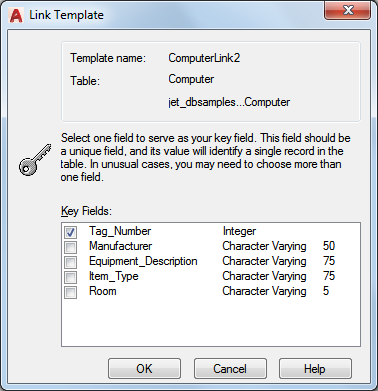
Before the Link Template dialog box opens, the New Link Template dialog box is displayed, in which you can name the link template. You can open this dialog box using the following methods:
Access Methods
dbConnect Manager buttons  Select a database table and choose the New Link Template button
Data View buttons Choose New Link Template from the Link Template list, and then choose the Link button flyout
dbConnect Templates New Link Template. Navigate to and select a database table from the Select a Database Object dialog box and choose Continue
Right-click a database table in the dbConnect Manager and choose New Link Template
Double-click a link template in the dbConnect Manager. This method opens the Link Template dialog box directly, without first displaying the New Link Template dialog box.