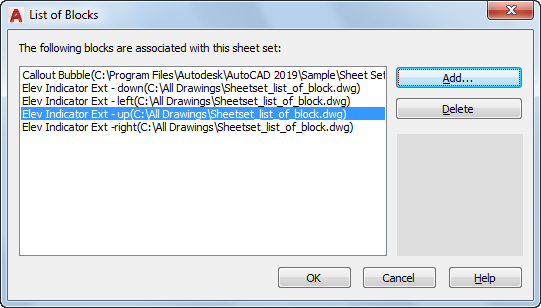
Lists, adds, or deletes callout blocks for use in the current sheet set.
This dialog box is displayed by clicking the Add Blocks button in the View Category dialog box, or by clicking the [...] button next to Callout blocks in the Sheet Set Properties dialog box.
List of Options
The following options are displayed.
- List of Blocks
Displays the list of blocks available for use with the current sheet set.
- Add
Displays the Select Block dialog box.
- Delete
Removes the selected block from the list of callout blocks.
- Preview area
Displays a preview image when a single block is selected.