You can control how you change between the Model tab and one or more named layout tabs.
By default, a Model tab and several named layout tabs are displayed at the bottom-left corner of the drawing area.
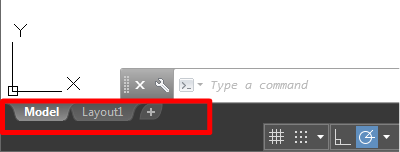
Click the plus (+) icon to add more layout tabs.
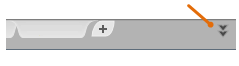
When there are more than can be displayed at one time, click the double-down arrow to view the layout tabs in a drop-down list.
- To get more space for displaying multiple layout tabs, you can right-click the Model or a Layout tab and select Dock Above Status Bar. The Model and Layout tab are displayed in a separate line above the status bar.
- To optimize space in the drawing area, right-click the Model or a Layout tab and select Dock Inline With Status Bar. The Model and Layout tab are displayed inline with the status bar.