Shading, highlighting and color effects control the display of faces in a model.
Face Styles
The face style defines the shading on a face. Realistic (below left) is meant to produce the effect of realism. Gooch (below right) can show details better by softening the contrast between lit areas and shadowed areas. Lit areas use warm tones and shadowed areas use cool tones.
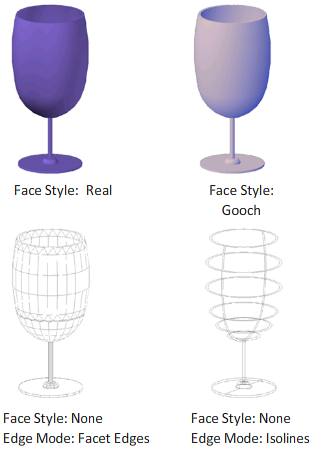
The None face style produces no shading, and displays only edges. Customize edge settings to control whether facet edges or isolines are displayed.
Lighting Quality
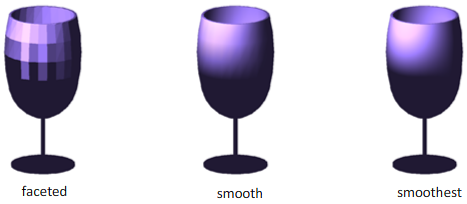
Lighting quality determines the smoothness of shaded objects.
Faceted lighting computes a single color for each face. Individual faces appear flat. Smooth lighting smooths the edges between polygon faces by computing the colors as a gradient between the faces’ vertices. This gives objects a smooth appearance.
For the Smoothest option, the Per-Pixel Lighting (Phong) setting must be enabled in the Graphics Performance dialog box. The colors are computed for individual pixels, giving a smoother appearance. If not, the Smooth setting is used instead.