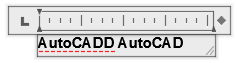
You can check the spelling of the text in your drawing, including
- Single and multiline text
- Dimension text
- Multileader text
- Text within block attributes
- Text within xrefs
With the Check Spelling feature, a misspelled word is identified, the word is highlighted, and the drawing area zooms to that word in a scale that is easy to read.
Dictionaries
The Check Spelling feature contains several main dictionaries, which are available in different languages. You can also create custom dictionaries (.cus) and switch between them as needed. Any words you add are stored in the custom dictionary that is current. For example, you can add proper names so they are no longer identified as misspelled words.
You can change dictionaries in the Dictionaries dialog box or by specifying the dictionary name in the DCTMAIN or DCTCUST system variable.