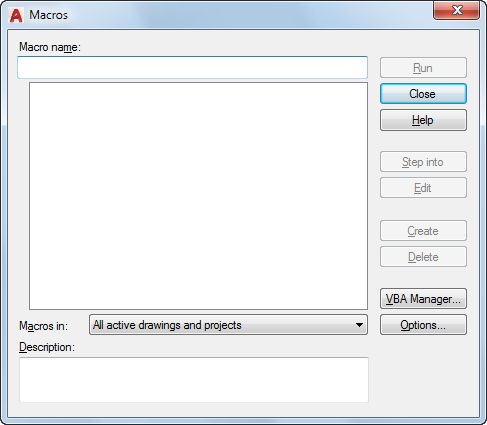
Runs, edits, or deletes a VBA macro.
You can also create new macros, set the VBA options, and display the VBA Manager.
List of Options
The following options are displayed.
- Macro Name
Specifies the name of the macro you want to run, edit, delete, or create.
- Macro List
Lists all macros found in the drawing or project selected in Macros In.
- Macros In
Specifies the project or drawing whose macros are available from the macro list. If your project or drawing is not listed, click VBA Manager to load it.
- Description
Describes the selected macro.
- Run
- Step Into
Displays the Visual Basic Editor and begins execution of the macro. Execution is paused at the first executable line of code.
- Edit
Displays the Visual Basic Editor and the selected macro.
- Create
Creates a macro with the name specified in Macro Name, and then displays the Visual Basic Editor and the empty procedure for the new macro.
If no project file or drawing is specified for the new macro, the Select Project dialog box is displayed.
If you choose Yes, the code in the existing macro is deleted and a new, empty macro is created with the specified name.
- Delete
Deletes the selected macro.
- VBA Manager
Displays the VBA Manager.
- Options
Displays the VBA Options dialog box.