List of Options
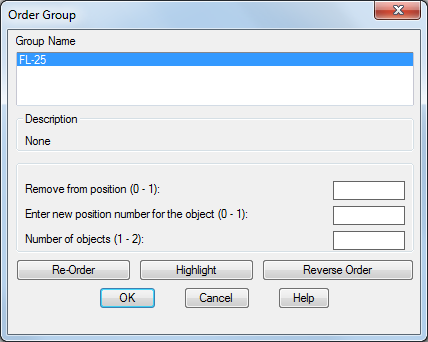
The following options are displayed.
- Group Name
Displays the names of all groups.
- Description
Displays the description of the selected group.
- Remove from Position (0-n)
Specifies the current position of the object to reorder.
- Enter New Position Number for the Object (0-n)
Specifies the position to which the object moves.
- Number of Objects (1-n)
Specifies the object number or range of numbers to reorder.
- Re-Order
Changes the numerical order of objects as specified.
- Highlight
Displays the members of the selected group in the drawing area, one by one, in the current group order.
- Reverse Order
Reverses the order of all group members.