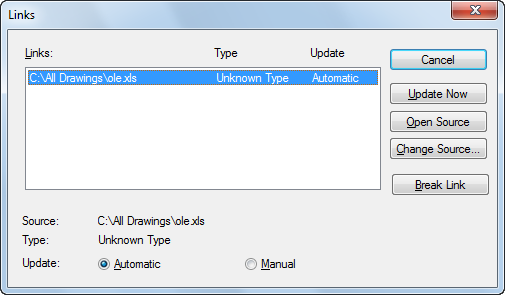
Lists and modifies linked files and objects.
List of Options
The following options are displayed.
- Links
Lists information about linked objects. The information listed depends on the type of link. To change information for a linked object, select the object.
- Source
Displays the path name of the source file and the type of object.
- Type
Displays the format type.
- Update: Automatic
Updates the link automatically whenever the source changes.
- Update: Manual
Prompts you to update a link when you open the document.
- Update Now
Updates the selected links.
- Open Source
Opens the source file and highlights the portion linked to the drawing.
- Change Source
Displays the Change Source dialog box (a standard file dialog box), in which you can specify a different source file. If the source is a selection within a file (instead of the entire file), Item Name displays a string representing the selection.
- Break Link
Severs the link between the object and the original file. The object in your drawing is changed to WMF (Windows metafile format), which is not affected by future changes to the original file.