In the Properties palette, the General section contains property settings that are common to most objects.
NOTE: Layers or objects that are assigned property overrides in viewports display a ByLayer (VP) value and a background color for applicable properties.
List of Options
The following options are displayed.
- Color
Specifies the color for objects. Selecting Select Color in the color list displays the Select Color dialog box. For more information, see Select Color Dialog Box (COLOR).
- Layer
Specifies the current layer of the object. The list shows all layers in the current drawing (see LAYER).
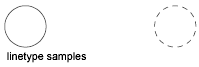
- Linetype
Specifies the current linetype of the object. The list shows all linetypes in the current drawing (see LINETYPE).
- Linetype Scale
Specifies the linetype scale factor of the object (see LTSCALE).
- Plot Style
Lists NORMAL, BYLAYER, BYBLOCK, plus any plot styles contained in the current plot style table (see PLOTSTYLE).
- Lineweight
Specifies the lineweight of the object. The list shows all available lineweights in the current drawing (see LWEIGHT).
- Hyperlink
Attaches a hyperlink to a graphical object. If a description has been assigned to the hyperlink, the description is displayed. If no description has been assigned, the URL is displayed (see HYPERLINK).
- Transparency
Specifies the transparency of the object (see TRANSPARENCY).
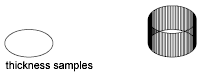
- Thickness
Sets the current 3D thickness. This property does not apply to all objects (see CHPROP).