You can choose between several tools that control object properties depending on the work that you're doing.
Use the Properties Palette
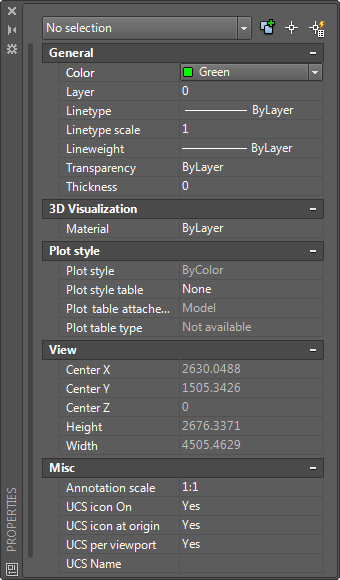
The Properties palette provides the most complete list of all property settings.
- If no objects are selected, you can view and change the current properties to be used for all new objects.
- If a single object is selected, you can view and change the properties for that object.
- If several objects are selected, you can view and change their common properties.
Use the Quick Properties Palette
Generally, you can double-click an object to open the Quick Properties palette, and make changes to its properties.
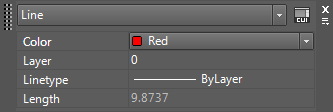
- Several types of objects open an editor or start an object-specific command when you double-click them instead of the Quick Properties palette. These types of objects include blocks, polylines, splines, and text.
- The Customize User Interface dialog box ( CUI) controls what palette or command is used when you double-click each type of object.
Use the Properties Panel on the Ribbon
On the Home tab of the ribbon, use the Layers and Properties panels to verify or change the settings for the most commonly accessed properties: layer, color, lineweight, and linetype.
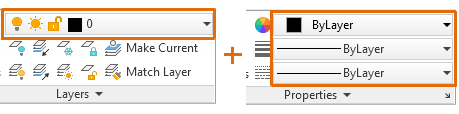
If no objects are selected, the drop-down lists highlighted above display the current settings for the drawing. If you select an object, the drop-down lists display the property settings for that object.