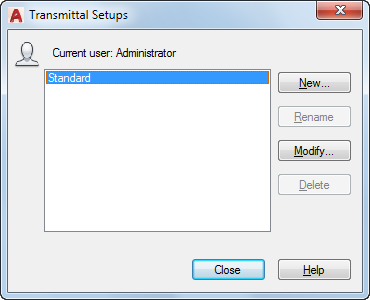
Creates, modifies, and deletes transmittal setups.
List of Options
The following options are displayed.
- Transmittal Setups
Lists transmittal setups.
- New
Creates a new transmittal setup.
- New Transmittal Setup Name. Enter the name of the new transmittal setup.
- Based On. Select an existing transmittal setup from which the new one will be created.
- Rename
Renames the currently highlighted transmittal setup.
- Modify
Displays the Modify Transmittal Setup dialog box, in which you can specify options for the transmittal package.
- Delete
Removes the currently highlighted transmittal setup.
- Import
In a sheet set context, opens standard file selection dialog box, in which you can navigate to a sheet set data (DST) file. Then displays the Import Transmittal Setups dialog box, in which you can specify the transmittal setups that you want to import.
( Not applicable to AutoCAD LT.)