A custom program file, whether digitally signed or not, can be loaded using the same techniques, but there are some additional considerations you might want to consider when deploying a digitally signed file.
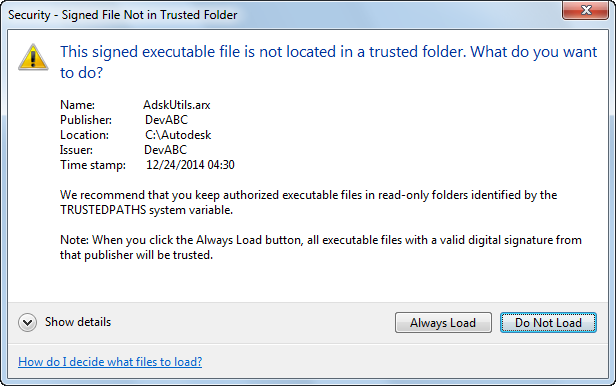
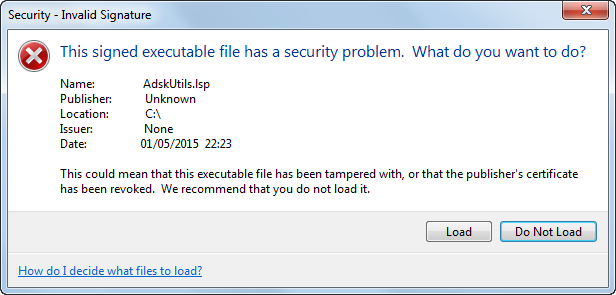
When loading a custom program file that has been digitally signed, the AutoCAD-based program verifies the digital signature attached to the file. A message box is displayed, whether the digital signature could be verified, that allows the user to load or not load the program file into the drawing environment.
The following outlines the conditions that affect the information displayed in the message box upon the loading of a custom program file.
- Digital signature verified and the file hasn't been changed
- Digital signature couldn't be verified
-
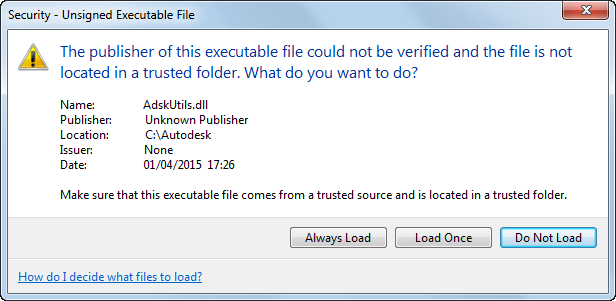
A digital signature can't be verified for the following reasons:
- File isn't signed or was incorrectly signed
- File is unsigned, but the digital certificate to validate against isn't installed in the 'Trusted Root Certification Authorities' store
Recommendation: Verify the source of the file and that the digital certificate used to sign the file has been installed.
Solution: Install the digital certificate used to sign the file into the 'Trusted Root Certification Authorities' store. See "To Import a Digital Certificate" for information on how to install the digital certificate, if you or your company made the certificate.
- Digital signature is invalid as a result of the file being changed after it was signed