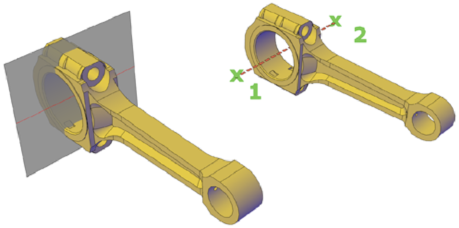
Create a straight cutting plane.
The section object is created between the two points. Live sectioning is turned off.
 Section panelSection Plane.