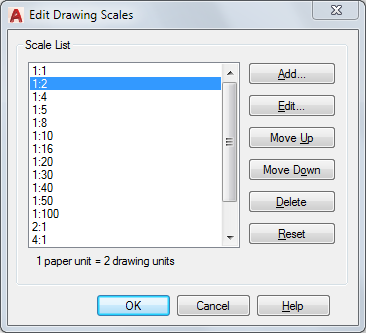
Controls the list of scales available for layout viewports, page layouts, and plotting.
List of Options
The following options are displayed.
- Scale List
-
Displays the list of currently defined scales. Also displays temporary scales that are imported when xrefs are attached. If a scale name is duplicated, but has a different value, a number is appended to the name.
- Add
-
Displays the Add Scale dialog box.
Press Tab to move between the fields of the scale being edited.
- Edit
-
Displays the Edit Scale dialog box.
NOTE: You cannot edit temporary scales.
- Move Up
-
Moves the currently selected scale in the scale list up one position.
- Move Down
-
Moves the currently selected scale in the scale list down one position.
- Delete
-
Removes the selected scale from the scale list.
NOTE:You cannot delete a scale that is referenced by an annotative object.
- Reset
-
Deletes all custom scales and unused scales and restores the default list of scales defined in the Default Scale List dialog box.