The classic workspace no longer ships with AutoCAD.
You can easily recreate the AutoCAD Classic workspace.
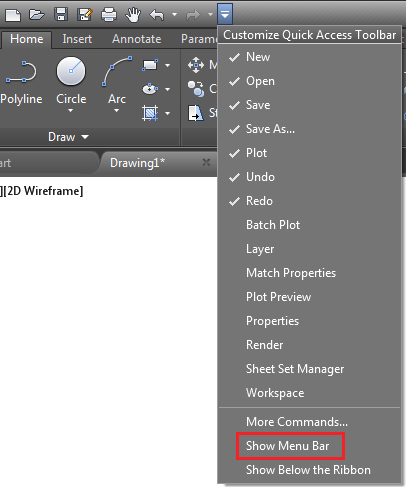
- To display the menu, click Quick Access Toolbar drop-down
 Show Menu Bar.
- To hide the ribbon, click Tools menu Palettes Ribbon.
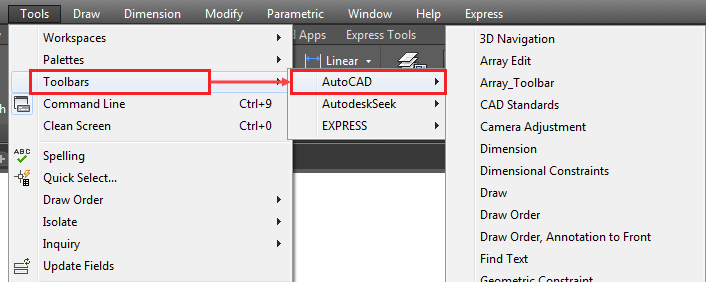
- To display the toolbars you require:
- To save the workspace:
- Click Tools menu Workspaces Save Current As.
- In the Save Workspace dialog box, in the Name box, type AutoCAD Classic.
- Click Save.
- Click Tools menu